Aspose.CAD 23.9.0
CAD/BIM Drawing Documents Processing .NET API



Product Page | Docs | Demos | API Reference | Examples | Blog | Search | Free Support | Temporary License
Aspose.CAD for .NET is a standalone class library to enhance ASP.NET, Web API, Desktop and other .NET and .Net Core applications to process & render CAD drawings without requiring AutoCAD or any other rendering workflow. The CAD Class Library allows high quality conversion of DWG, DWF, DWFX, DWT, DGN, STL, DXB, OBJ, CF2, IGES(IGS), IFC, PLT, COLLADA(DAE), STEP(STP), CGM, U3D, 3DS and DXF files, layouts, and layers to PDF & raster image formats.
CAD File Processing Features
- Supports the latest versions of DWG, DWF, DWFx, DWT, DGN, STL, OBJ, CF2, IGES(IGS), IFC, DXB, PLT, COLLADA(DAE), STEP(STP), U3D, 3DS & DXF formats.
- Convert CAD to PDF.
- Convert CAD to images.
- Track files processing progress.
- Manipulate drawing entities and blocks.
- Select and convert specific layouts of CAD drawings.
- Select and convert specific layers of CAD drawings.
- Adjust CAD drawing size before rendering.
New Features & Enhancements
- Ability to export to the
OBJfile format. - Support for HoloLens 2.
- Support for the AutoCAD Plotter Configuration (
PC3) files.
Please visit Aspose.CAD for .NET 23.9 - Release Notes for the detailed notes.
Read CAD and BIM Formats
AutoCAD: DWG, DWT, DXF, PC3 MicroStation: DGN Other: STL, DXB, IGES, DWF, DWFX, DAE, STP, STEP, CF2, IFC, PLT, HPGL, U3D, 3DS
Save and publish drawings As
Fixed Layout: PDF Vector Images SVG, WMF, EMF, HTML5, CGM Raster Images: PNG, BMP, DIB, TIFF, TIF, JPEG, GIF, JPG, JPE, JIF, JFIF, PSD, WEBP, DCM, DICOM, JP2, J2K, JPF, JPM, JPG2, J2C, JPC, JPX, MJ2 , DJVU
Read & Write
CAD: DXF, DWF, DWFX, FBX, STP, STEP Raster Images: PNG, BMP, DIB, TIFF, TIF, JPEG, GIF, PSD, JPG, JPE, JIF, JFIF, WEBP, DCM, DICOM, JP2, J2K, JPF, JPM, JPG2, J2C, JPC, JPX, MJ2 , DJVU Vector Images SVG, CGM The Advanced Visualizer: OBJ, GLB, GLTF (Write features are partially supported.)
Platform Independence
Aspose.CAD for .NET supports .NET framework (ASP.NET applications & Windows applications) as well as .NET Core. It supports any 32-bit or 64-bit operating system where .NET or Mono framework is installed, this includes but is not limited to, Microsoft Windows desktop (XP, Vista, 7, 8, 10), Microsoft Windows Server (2003, 2008, 2012), Microsoft Azure, Linux (Ubuntu, OpenSUSE, CentOS, and others), and Mac OS X.
Getting Started with Aspose.CAD for .NET
Are you ready to give Aspose.CAD for .NET a try? Simply execute Install-Package Aspose.CAD from Package Manager Console in Visual Studio to fetch the NuGet package. If you already have Aspose.CAD for .NET and want to upgrade the version, please execute Update-Package Aspose.CAD to get the latest version.
Add Watermark to CAD using C# Code
You can execute below code snippet to see how the API performs in your environment or check the GitHub Repository for other common usage scenarios.
CadText text = new CadText();
text.DefaultValue = "Watermark text";
text.TextHeight = 40;
text.FirstAlignment = new Cad3DPoint(300, 40);
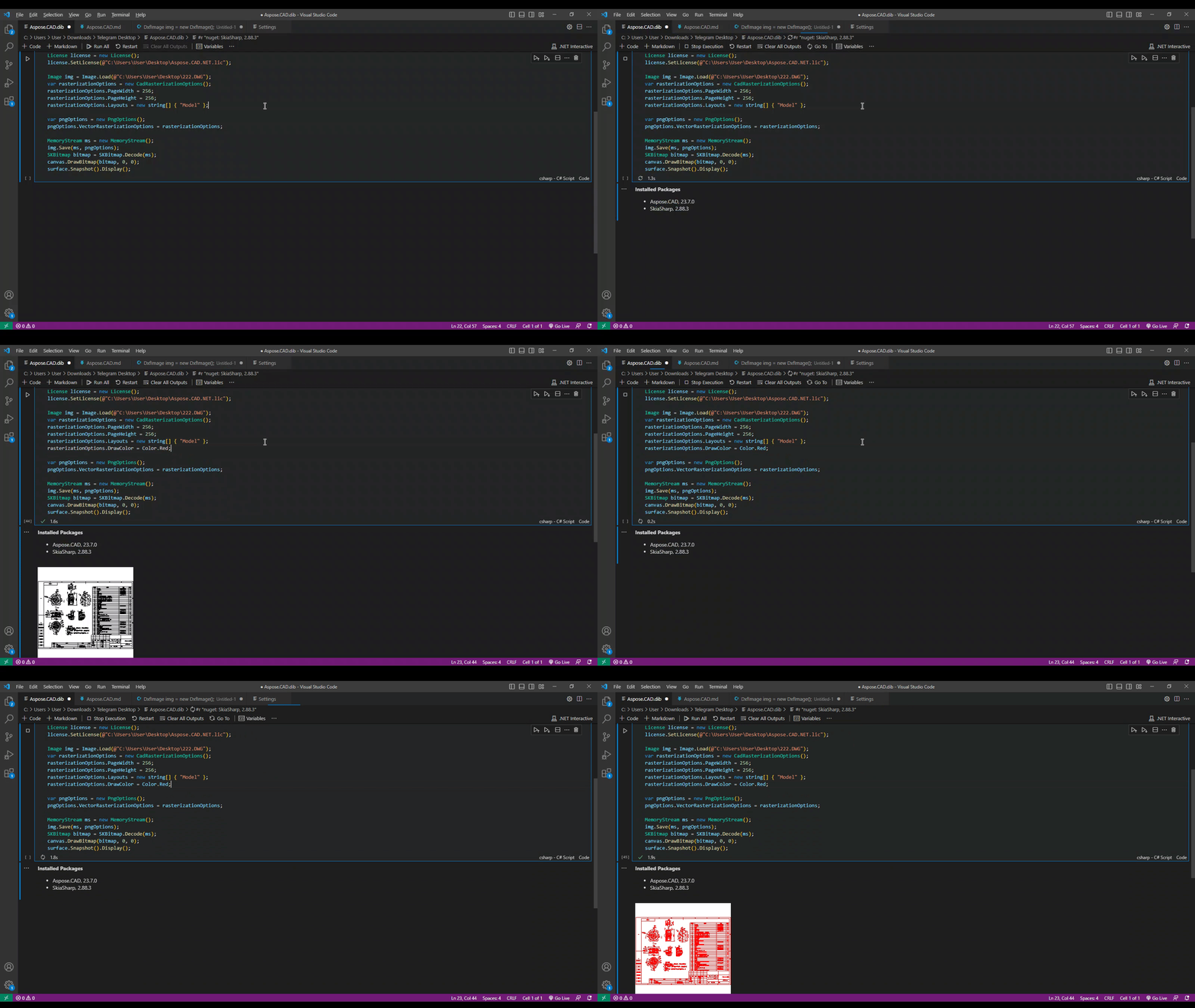
Export of DWG to PDF with drawing color change using C#
Image img = Image.Load("Drawing.dwg");
MemoryStream ms = new MemoryStream();

var rasterizationOptions = new CadRasterizationOptions();
rasterizationOptions.PageWidth = 500;
rasterizationOptions.PageHeight = 500;
rasterizationOptions.Layouts = new string[] { "Model" };
rasterizationOptions.DrawColor = Color.Red;

var pdfOptions = new PdfOptions();
pdfOptions.VectorRasterizationOptions = rasterizationOptions;

img.Save("output.pdf", pdfOptions);
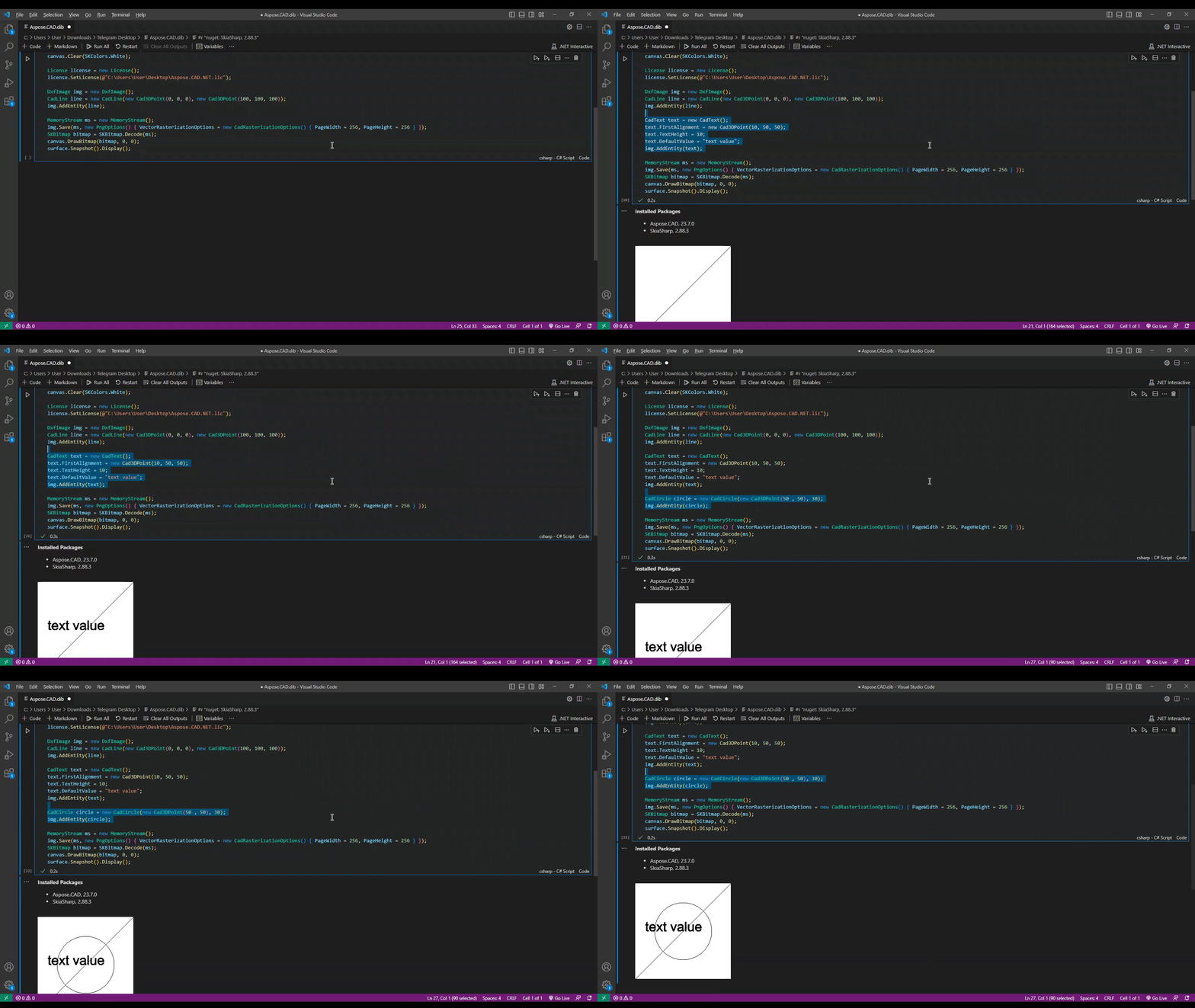
Generate DXF drawing from scratch and its conversion to PNG using C#
DxfImage img = new DxfImage();

CadLine line = new CadLine(new Cad3DPoint(0, 0, 0), new Cad3DPoint(100, 100, 100));
img.AddEntity(line);

CadText text = new CadText();
text.FirstAlignment = new Cad3DPoint(0, -50, 0);
text.TextHeight = 10;
text.DefaultValue = "text value";
img.AddEntity(circle);

CadCircle circle = new CadCircle(new Cad3DPoint(50, 0), 10);
img.AddEntity(circle);

var rasterizationOptions = new CadRasterizationOptions();
rasterizationOptions.PageWidth = 256;
rasterizationOptions.PageHeight = 256;

var pngOptions = new PngOptions();
pngOptions.VectorRasterizationOptions = rasterizationOptions;

img.Save(ms, pngOptions);
Home | Product Page | Docs | Demos | API Reference | Examples | Blog | Free Support | Temporary License